Spatial context
See how rooms, surfaces, and damage fit together.
Built for water mitigation crews
Room photos, moisture readings, and scope — together on your iPhone. Leave the site with documentation your office can work with.
For iPhone & iPad
Capture offline. Sync when connected.
3D ROOM SCANNING
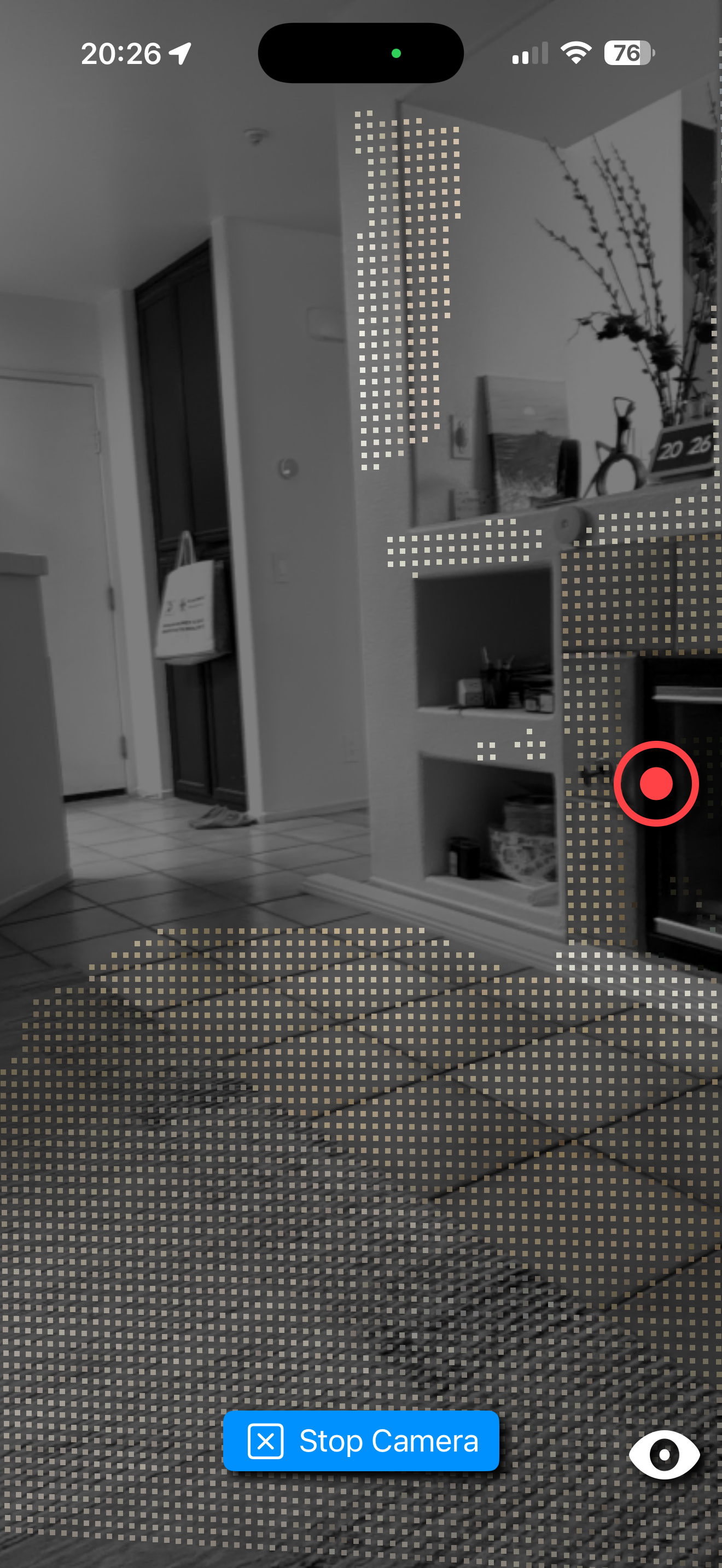
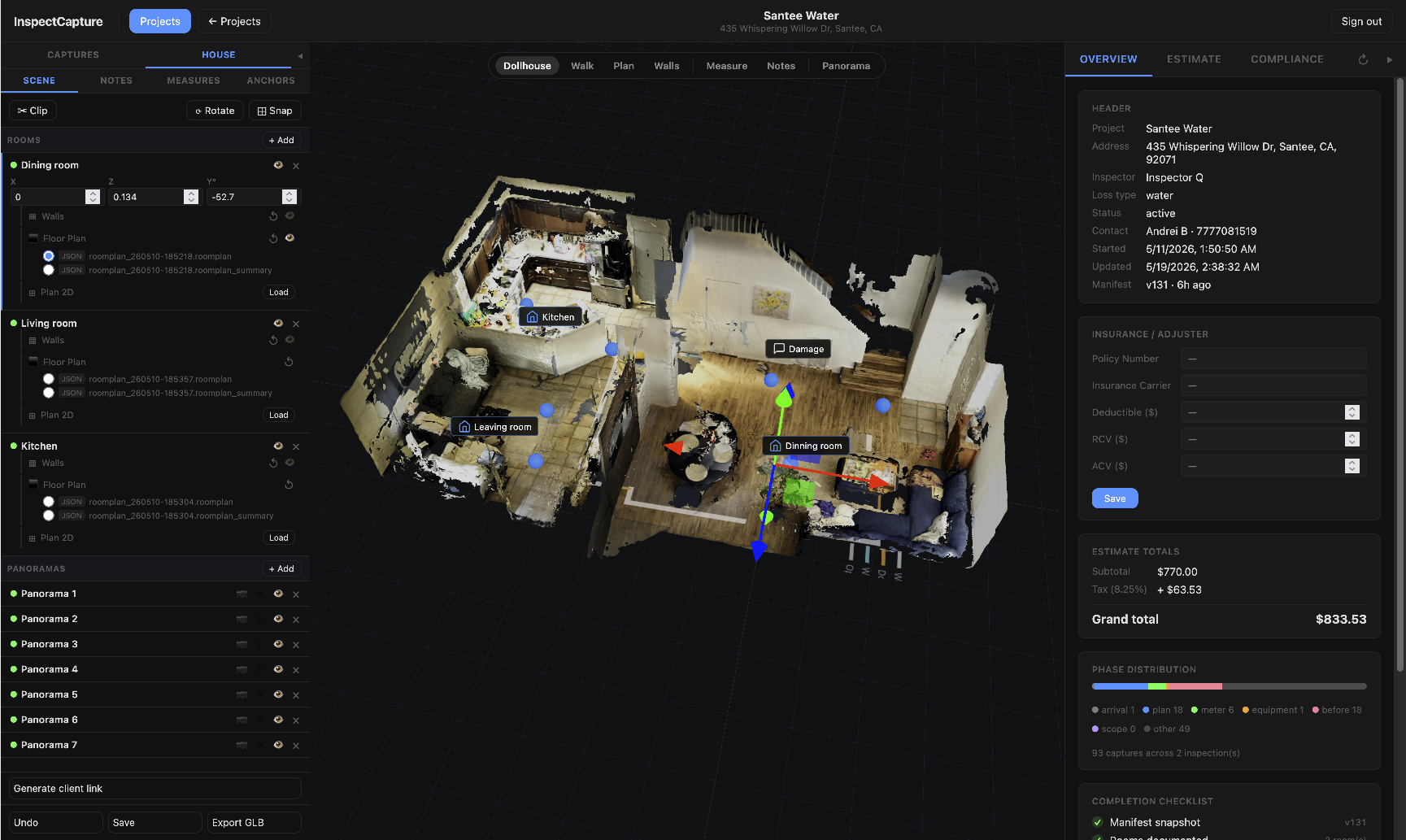
Capture a measurable 3D record of the room. Explore the layout, keep photos in context, and give your office a way to revisit the space without another site visit.
Interactive sample · loads on request
Open full viewerSee how rooms, surfaces, and damage fit together.
Use the scan to understand dimensions and support the scope.
Let reviewers explore the scan alongside the job documentation.
Estimators and reviewers get organized rooms, evidence photos, measurements, notes, and exports in one place.
What you can do on site
From the moment you arrive to the moment you leave, InspectCapture tracks what's done and what still needs your attention.
Arrive
Address, loss type, rooms, floors — configured before you walk inside.
Photos
The app shows exactly what shots are needed: overview, damage, readings, before. Nothing to remember.
Moisture
Enter or photograph meter readings. They attach to the room automatically with a timestamp.
3D Scan
Walk the space once. The app builds a to-scale floor plan and room volume from the LiDAR sensor.
QR · 3D
Stick a QR code to the wall. Shoot it with the app. The photo pins to that exact spot in the 3D model — visible to anyone with the share link.
Equipment
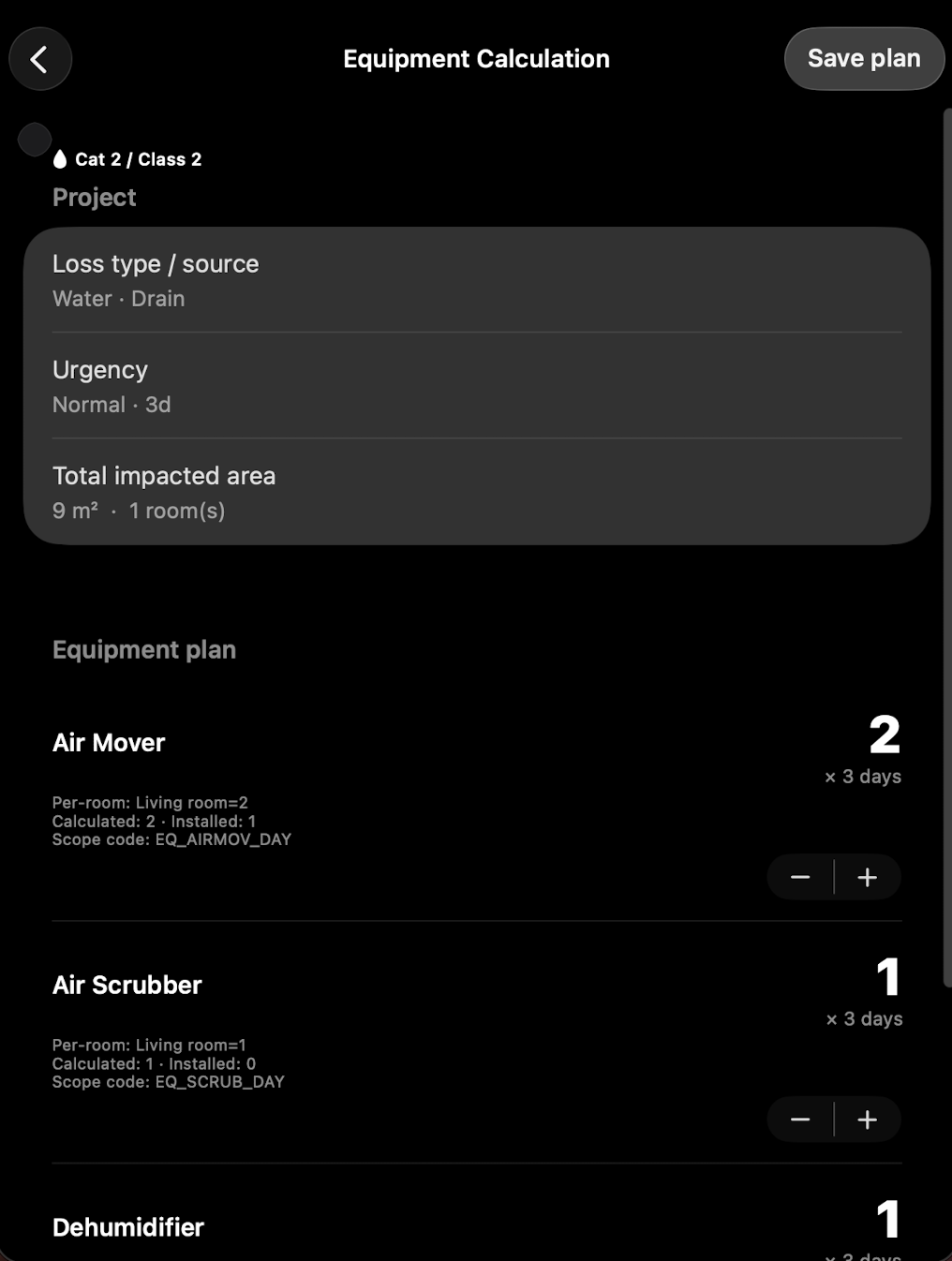
Room dimensions drive the equipment recommendation. Log each unit by QR code as you install it.
Scope
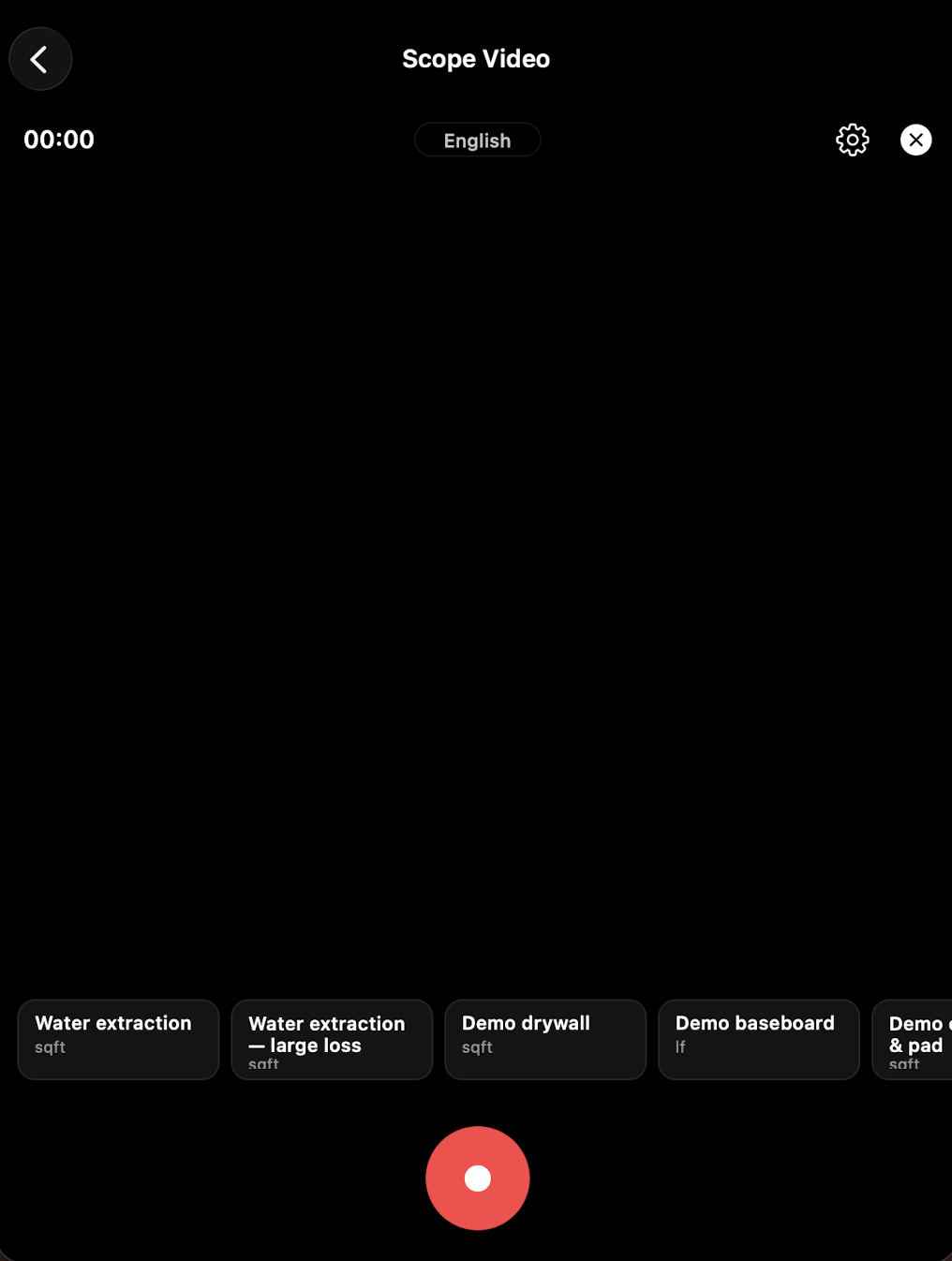
Narrate damage while you walk. AI turns your voice into a line-by-line scope list for the estimate.
Before/After
Shoot from the same position on return. Before and after link automatically for comparison.
Offline
Full functionality without cell coverage. Everything queues and syncs when you're back in range.
Compliance
Each step you complete checks off the S500 list. You know what's still missing before you leave.
AI Review
The app surfaces missing photos, unsigned forms, and incomplete rooms while you're still on site.
Sync
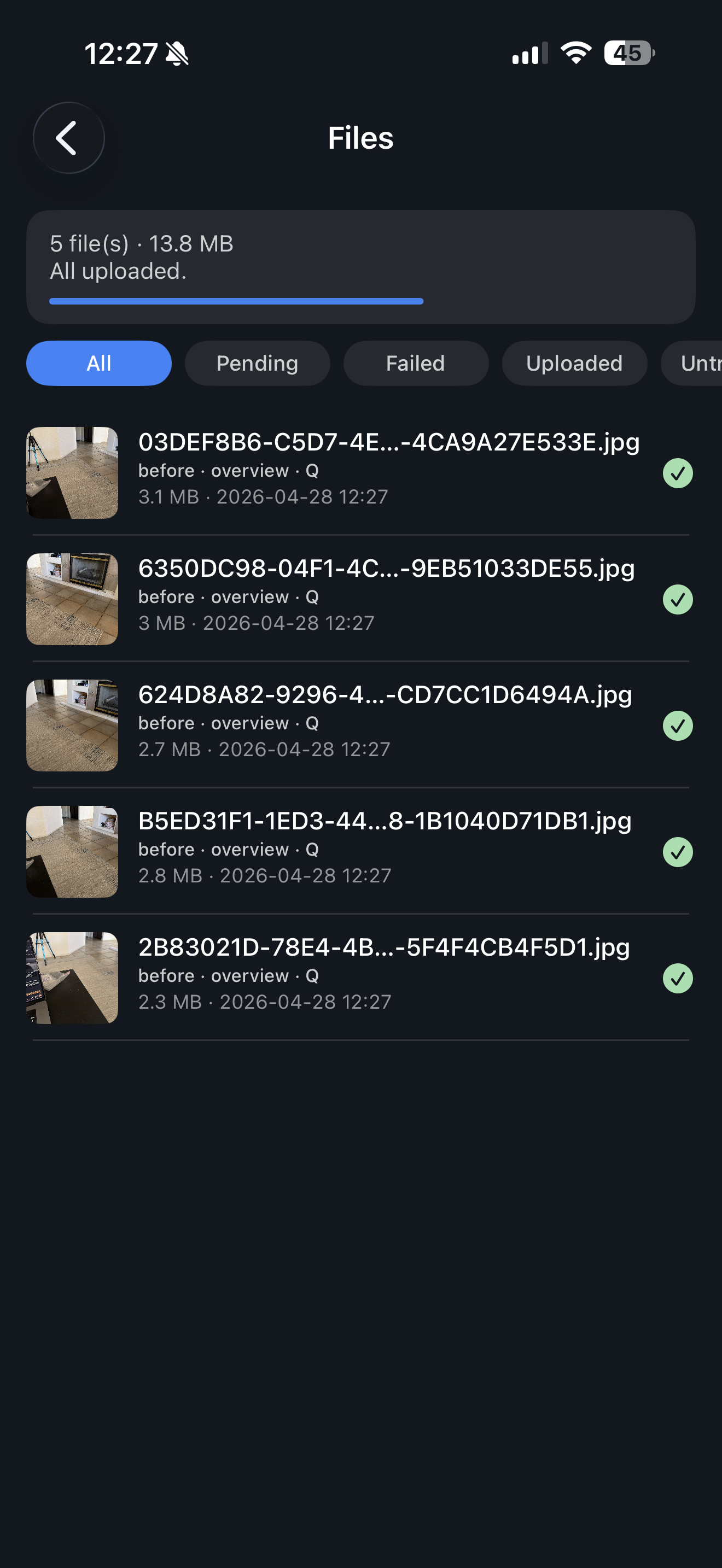
All files go at once: photos, readings, floor plan with photo pins, equipment log, scope items.
Capture field documentation on your device and sync when a connection is available. Uploads and cloud AI processing need a connection; offline capture does not mean every cloud feature runs on the device.
What makes documentation hard on site
You have one chance per inspection to capture photos, readings, scope, and equipment. Miss something and you're driving back — or the estimate is wrong.
01 · Photos without context
A photo of wet drywall means nothing if the room label is wrong or missing. Mislabeled shots slow the estimate and weaken the claim.
02 · Readings copied twice
Moisture readings written on paper, re-entered in the office. One transposed number throws off the dry standard calculation.
03 · Scope narrated, then retyped
You walk the scope on site, write notes, then re-enter everything in the office. Each re-entry is another chance for a line item to vanish.
ROI
01
Less sorting for crews, less cleanup for estimators, and fewer missing details during review.
02
Missing documentation can mean missed line items. Structured evidence helps support complete estimates.
03
Create consistent inspection packages regardless of technician experience level.
04
Give the office a usable job file instead of a pile of photos, notes, and follow-up questions.
THE PRODUCT
From the first room photo to the final review. See the tools your crew uses along the way.
Follow a guided shot list and keep each capture attached to the right room. Give the office the context behind the damage.
The complete inspection workflow
The app walks you through a complete water damage inspection. Each screen tells you exactly what's needed next.
01 / Arrive
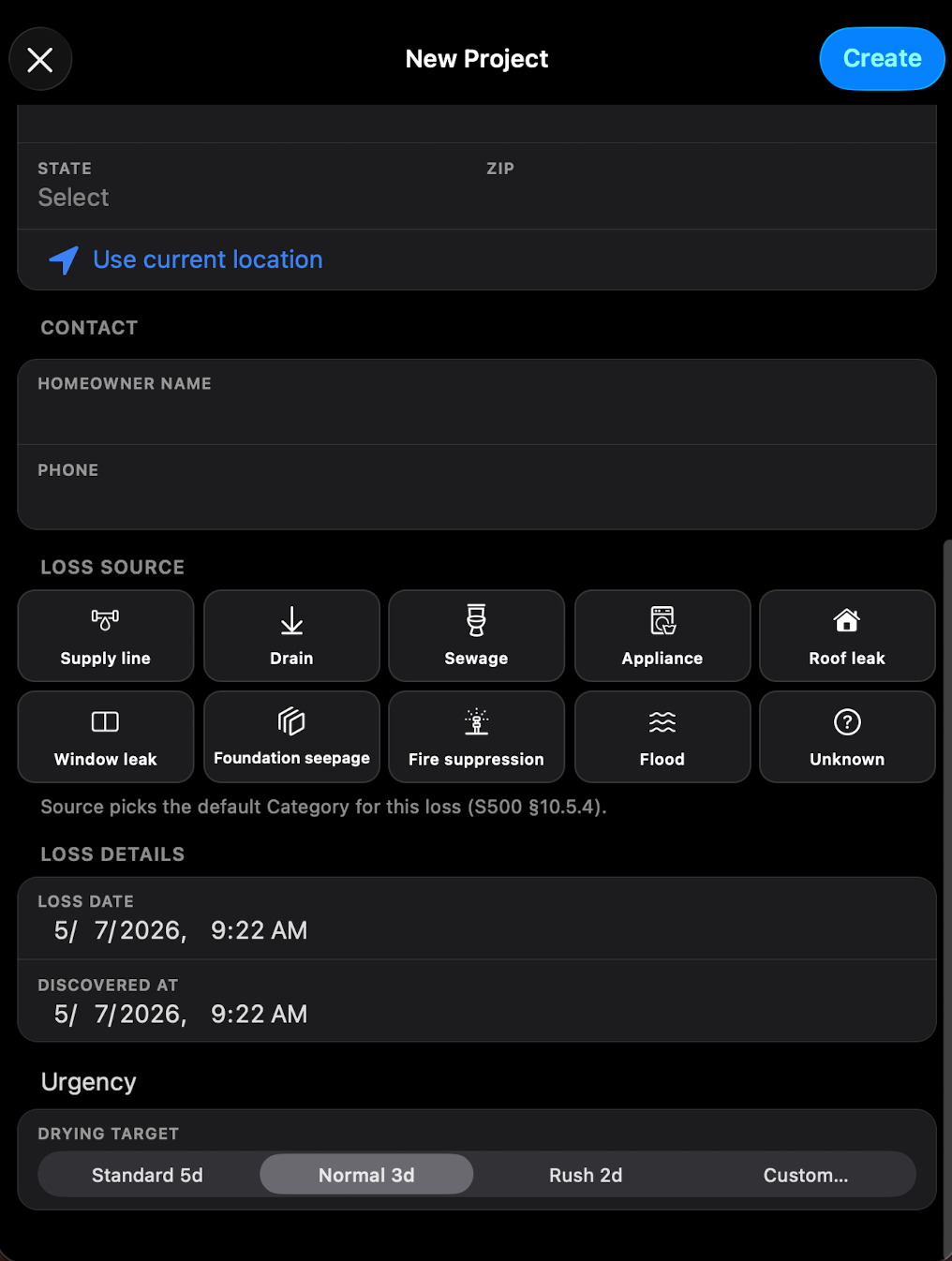
Add the address, select Water Damage, and set up rooms for each floor and zone. Takes about two minutes.
02 / Document
The app shows a required shot list for each room: overview, damage close-ups, and before photos. Check off each shot as you go.
03 / Measure
Enter readings room by room and run a LiDAR scan for the floor plan. Stick QR codes to the wall — photos you shoot there pin to that exact spot in the 3D model. Equipment is auto-calculated from room dimensions.
04 / Scope
Narrate what needs to happen while you're still on site. AI structures your voice into a line-by-line scope list ready for the office.
05 / Sync
One tap syncs everything: photos, readings, floor plan with pinned photos, equipment log, and scope. The office gets a complete job file before you leave.
All app screens
The app keeps crews moving while the office gets cleaner documentation after every walkthrough.
01
All jobs in one place with status, loss type, and sync visibility at a glance.
02
Start the right workflow for water, mold, fire, biohazard, or inspection-only work.
03
Capture category, class, containment, and room context while the crew is still on site.
04
Help technicians cover the property more consistently and avoid missing obvious evidence.
05
Add measurable room context when layout and dimensions matter for review.
06
Document affected walls, floors, ceilings, insulation, and contents with a consistent vocabulary.
07
Pair readings with photos so the office can verify what was measured and where.
08
Let technicians narrate damage during the walkthrough and turn those notes into structured review items.
09
Surface missing details before the file reaches an estimator or claim review.
10
Give estimators cleaner room-by-room inputs for scope and pricing work.
11
Track planned drying equipment by room and keep the supporting documentation together.
12
Keep equipment photos, serials, checks, and removal details attached to the job.
13
See what is complete, what is missing, and what still needs attention.
14
Collect approvals and attach signed documentation to the same job file.
15
Keep uploads, retries, and final exports organized instead of scattered across devices.
Before and after
Capture before and after photos from a consistent view so reviewers can understand the work without guessing.

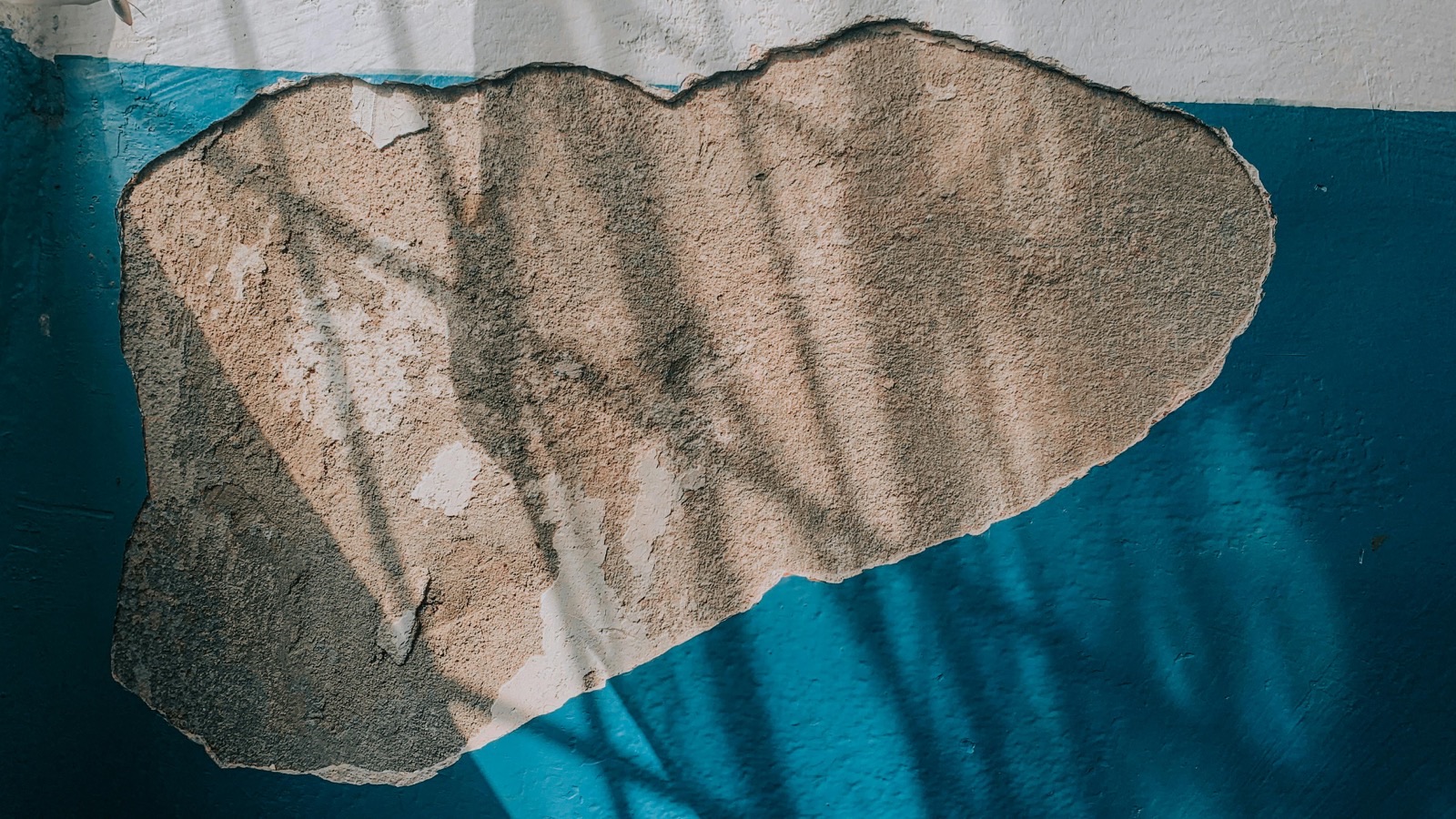
Drag the handle or use the arrow keys to compare.
Documentation standards
The workflow helps crews collect the photos, notes, readings, signatures, and exports that support estimating and claim review.
Field package
Evidence
Overview and detail photos grouped by room.
Notes
Structured notes for affected materials, severity, and work performed.
Readings
Readings paired with photos and room context.
Equipment
Install, check, and removal records tied to the job.
Approval
Authorizations and approvals attached to the same file.
Handoff
Clean packages for estimating, storage, and claim support.
Estimator-ready
Quality
Find gaps before the file reaches claim review.
Organization
Keep files, photos, and notes attached to the correct room.
Comparison
Make the work easier to verify with consistent photo pairs.
Estimating
Help estimators justify line items with supporting evidence.
Archive
Keep the final job file easy to find later.
Integrations
Built for the restoration stack, not a pitch deck. Keep the field workflow simple while files land where the office expects them.
Two-way sync
Jobs come in, documentation goes out. Field mapping is configurable to match your setup.
Archive
Project folders are created automatically so photos, notes, equipment, and exports stay organized.
Job files
Keep evidence, notes, signatures, and exports tied to the right project from the start.
Eventing
Send project, scope, equipment, documentation, and signature events into your workflow.
360 camera
Add room panoramas when a broader view helps the estimator or reviewer.
360 camera
Capture larger losses and pre-demolition scenes with more complete visual context.
Moisture meter
Keep moisture readings paired with photos, rooms, and job context.
Thermal / moisture
Attach thermal images and moisture context to the right room.
FOR YOUR TEAM
Give technicians a consistent way to document a job and give the office the evidence behind the work.
A clear workflow for photos, readings, equipment, and scope.
Room context and supporting files together for estimating and review.
Contact us to discuss integration setup and device compatibility.
Working with a 360° camera or moisture meter? See supported workflows
Company
InspectCapture is designed around the reality of water damage work: one visit to document everything, no cell signal on site, and an office that needs clean files by end of day.
01
The app walks you through every required step — photos, readings, equipment, scope — so nothing is missed on site.
02
Full functionality offline. Photos, readings, and scope queue locally and sync automatically when you're back in range.
03
Calculate, install, check, and remove drying equipment. QR code logging keeps every unit tied to the right room and visit.
04
One tap uploads everything. The office receives organized photos, scope, floor plan, and equipment log — no follow-up calls needed.
GETTING STARTED
Still have a question?
Talk to a real person
Download InspectCapture from the App Store. For account access, team setup, or help with your first project, contact [email protected].
The app is designed for iPhone and iPad. LiDAR scanning needs a compatible device with a LiDAR sensor. Check the App Store listing for current OS and device requirements.
Capture field documentation on your device and sync when a connection is available. Uploads and cloud AI processing need a connection; offline capture does not mean every cloud feature runs on the device.
Contact us for current pricing, account access, and pilot options for your team. Check the App Store listing for any applicable app charges.
The workflow brings room photos, readings, scope, and project files together for office review. Contact us to arrange access and a demonstration for your team.
No. Review measurements, generated scope items, and documentation before you submit them. The app supports your field workflow; the team remains responsible for the final job file.
YOUR NEXT JOB, BETTER DOCUMENTED
Start with your iPhone. Keep the details with the room.
Download on theApp StoreSetting up a team? Let’s talk →